
Take payment any way your customers want to pay.
Cash, cards, vouchers, gift cards, split bills and pay-by-link — all recorded in one till and one set of reports.
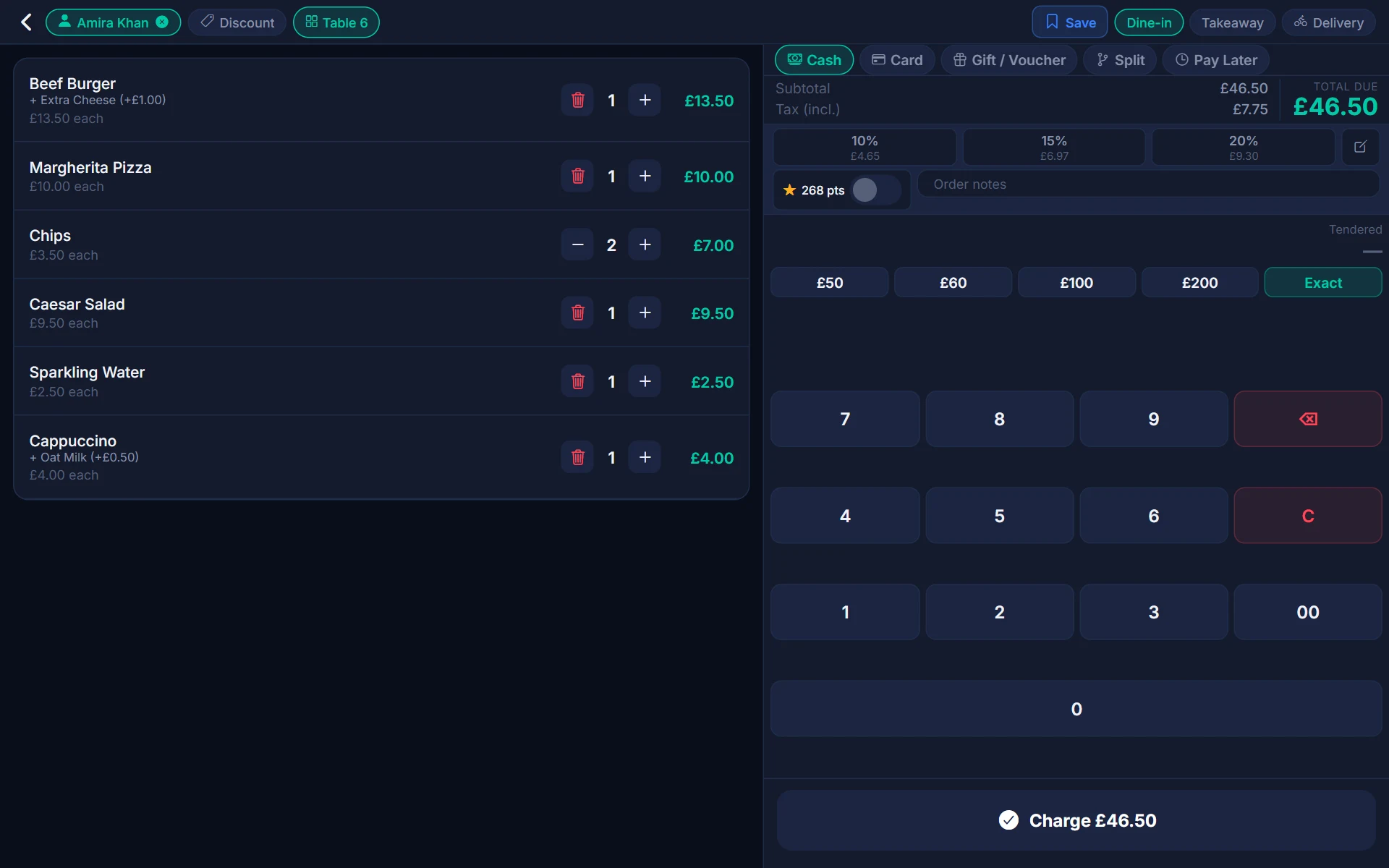
One till, every payment type
Teya
Link your Teya account with a code, choose the store and card machine, and send the amount from the till. Refunds go back to the card.
- Teya card machines (POSLink)
- Pay by link for unpaid orders
- Card refunds from the order screen
SumUp
Use SumUp Solo readers directly from the till, or Bluetooth readers through the SumUp app on the same tablet.
- SumUp Solo readers
- Bluetooth readers via the SumUp app
- Card refunds from the order screen
Cash, vouchers & gift cards
Count the drawer, open it automatically, sell and redeem gift cards and take vouchers, with every movement in your register reports.
- Cash drawer opens on cash sales
- Pay-ins, pay-outs, X and Z reports
- Gift cards sold and redeemed at the till
Split it, tip it, settle it
Customers split bills and add tips all the time. POSHUT handles both without slowing the queue.
- Split by item, by amount, or part cash and part card
- Tip buttons — 10%, 15%, 20% or a custom amount
- Pay later for collection, delivery or the end of the meal
- Redeem loyalty points as payment
Show the total, collect the tip
A customer display shows the order and total as it's rung in, and can prompt for a tip, so the customer is never in the dark.
- Line-by-line order and total on a second screen
- Tip prompts on the customer display
- Digital receipt by email, text or QR code
- Thank-you screen after payment
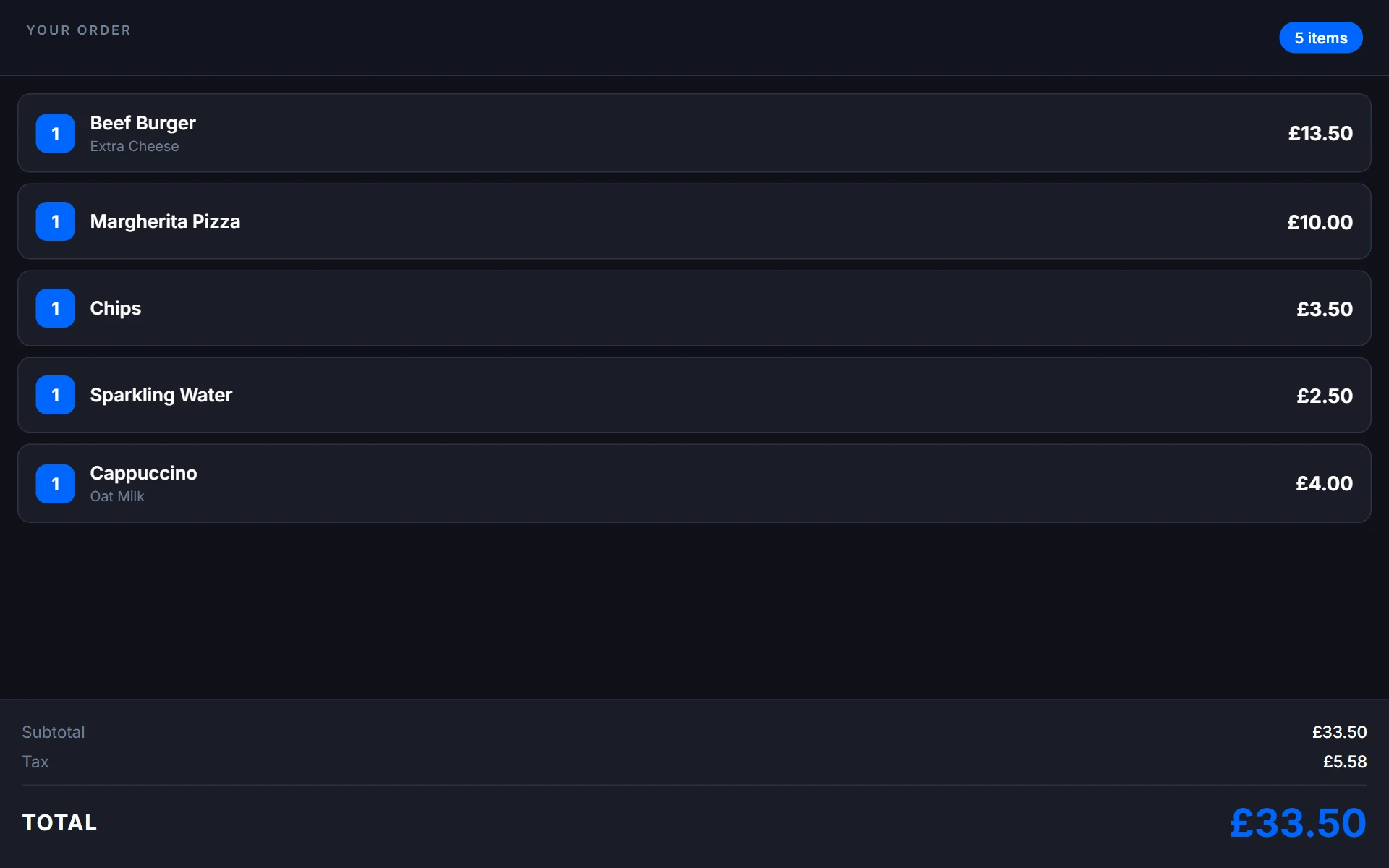
From the till to the card machine and back
Ring up the sale
Add products, a customer and any discounts, then tap Charge.
Choose Card
Pick your card type. POSHUT sends the amount to your Teya or SumUp machine.
Customer pays
Tap, insert or swipe on the machine. The result comes straight back to the till.
Done and recorded
The sale, tip and payment type land in your reports, and a receipt is printed or sent.
Payment types you control
Decide which payment types appear, what they're called and which stores and tills offer them.
Your own payment types
Name them the way your team says them — Cash, Card, Voucher, Deliveroo — and choose where each appears.
Safe records
Every amount sent to a card machine is recorded, and a payment from another business can never be touched.
Reports by payment type
See sales, tips and refunds by payment type, per till, per shift and per period.
Payments questions
POSHUT connects to Teya card machines (through Teya POSLink) and to SumUp Solo readers, and Bluetooth SumUp readers through the SumUp app on the tablet. You can also use any other card machine by taking the payment on the machine and then pressing Charge.
Your card provider — Teya or SumUp — sets and bills their own rates. POSHUT is the till, not the card processor.
Yes. Pay by link sends a payment link for an unpaid order so the customer can pay on their own phone, now or on delivery.
A refund or void of a sale paid through Teya or SumUp is sent back to that card payment, including partial refunds. If the provider can't be reached, the refund is still recorded in POSHUT so your reports stay right.
Yes. Cash, vouchers, gift cards and any other payment type you accept can be added and named the way your staff say them.
Cash sales and sales taken on a card machine carry on offline and are saved on the till. Machines that need a connection to authorise a card still need one, so keep a fallback for peak times.