
Fast sales screen
Picture tiles, favourites, search by name, SKU or barcode, and grid, list or compact layouts.
From a fast till to kitchen screens, delivery, stock, loyalty, staff and reports. Features are switched on or off for each business, so you only see what you use.
This is the real Manage Features screen inside POSHUT.
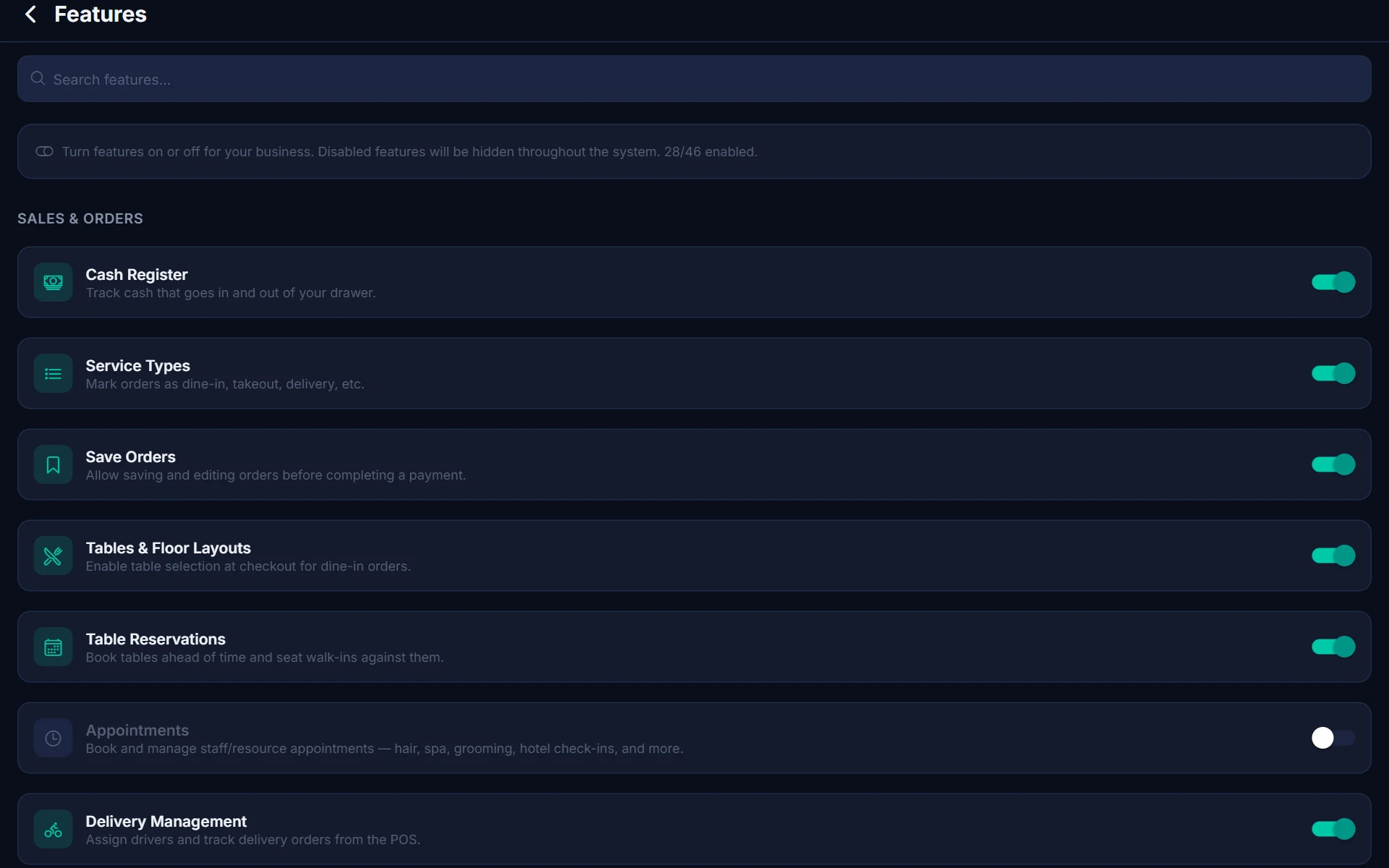
Everything at the till, built for speed.
Picture tiles, favourites, search by name, SKU or barcode, and grid, list or compact layouts.
Extra cheese, no onions, milk type and size, with optional forced choices and price changes.
Size, colour and other variants, each with its own stock level.
Save an order, recall it, add to it and pay later, from any till.
Split a bill across cash, card and vouchers, by item or by amount.
Percentage and fixed discounts, buy-one-get-one, bundles and tiered deals.
Preset tip buttons at checkout and on the customer display.
Add an automatic service charge to orders.
Special instructions travel with the order to the kitchen and receipt.
Short call-out numbers that reset on a schedule you choose.
Place an order now and take payment on collection, on delivery or at the end of the meal.
Record a pick-up date and time for pre-orders.
Per-product tax rates, included or added, with tax shown on receipts and reports.
Full and partial refunds by item, with optional manager approval.
Sell and redeem gift cards and promotional vouchers.
Front of house and kitchen in step.
Draw your floor layout and see live table status, seating time and running totals.
Book tables ahead and seat walk-ins against them.
Live tickets by station with allergen flags, timers, bump and recall.
Send tickets to the grill, bar or pass printer by product category.
Name your own stages, such as Preparing, Ready and Collected.
Allergens set on products show on kitchen tickets.
Hold courses and fire them when the table is ready.
Take the money, your way.
Opening float, pay-ins and pay-outs, X reports and Z reports at close.
Take cards through Teya or SumUp card machines and readers.
Send a payment link for an unpaid order so the customer can pay on their phone.
Cash, card, vouchers and any others you accept, shown the way you name them.
The drawer opens on cash sales, from the printer or the terminal's own port.
Print, email, text or show a QR code the customer can scan.
Know exactly what you have.
Every sale, refund and delivery updates stock automatically.
A daily email on items that are low or out of stock.
Warn cashiers before they sell more than you have.
Scan with a hardware scanner or the device camera.
Order from suppliers and receive stock against the order.
Move stock between stores and track goods in transit.
Count full or partial areas and reconcile the differences.
Require a reason, such as damage or loss, on manual adjustments.
Make finished goods from ingredients and deduct raw stock in bulk.
Retail value and potential profit on top of basic stock valuation.
Print product labels from a template sized for your label stock.
Bring in products from CSV or Excel, or from Loyverse, and export when you need to.
Turn a photo, PDF or web page of your menu into products, categories and modifiers.
Record spoiled or wasted stock with a reason.
Turn first-timers into regulars.
Contact details, purchase history and notes, searchable in an instant.
Earn points on sales and redeem them at the till.
Sell, top up and redeem gift cards.
Send a digital receipt straight from checkout.
Text the receipt link to the customer.
Show the order, total, tips, adverts and a thank-you screen.
The right people can do the right things.
Several people clock in and out on one till with their own PIN.
Switch user in a second and lock the till when you step away.
Granular permissions decide what each role can see and change.
Weekly rota and a staff productivity dashboard.
Require a manager PIN for voids, refunds, discounts and price changes.
A record of important actions and who made them.
See how the business is really doing.
Today, yesterday, week, month and year, with sales by hour, category, payment and service type.
Summary, by product, by category, by employee and by payment type.
X and Z reports and shift summaries for every register.
See refunds, voids and discounts so you can spot problems.
Who your best customers are and what they spend.
Download data for your accountant.
From one counter to many locations.
Run several locations with their own stock, staff and sales, plus combined reports.
Register each till, with its own cash register and sales history.
Pick a store or a single till on the dashboard and reports.
Changes made anywhere appear everywhere.
A dropped connection never stops a sale.
Take orders and payments with no internet; sales sync automatically when you're back.
Every sale is stored on the device first, then synced in the background.
Kitchen and customer screens keep working over your shop network with no internet.
Receipts and kitchen tickets keep printing.
Your own drivers, your own diary.
Drivers get an app; you get a live dispatch dashboard with a map.
Add a delivery fee automatically on delivery orders.
Verify by 4-digit code or signature.
Share a live tracking page with the customer.
Book staff and resources for services, repairs and treatments.
Let customers book themselves from a link.
Runs on kit you can actually buy.
Android tablets, phones and terminals, plus any web browser at app.poshut.com.
Bluetooth, USB and network thermal printers, plus Sunmi and iMin built-in printers.
Built-in customer screens on Sunmi and iMin dual-screen terminals.
Hardware scanners or the device camera.
Connect through the printer or the terminal's own port.